Android : ViewModelStore
Explore how ViewModelStore works in Android Development!
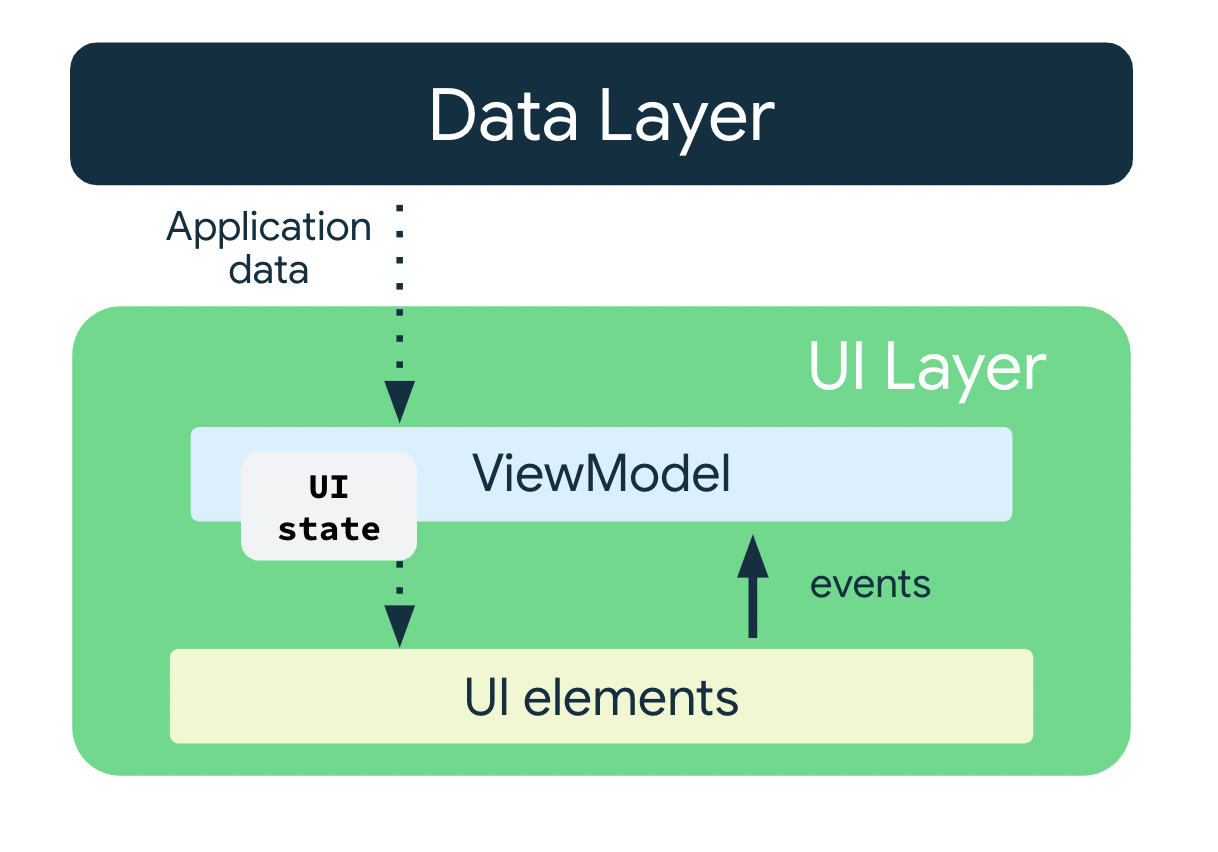
Ever wondered how ViewModel survive during configuration changes in our Android apps? 🤔
Let me introduce you to ViewModelStore!
🔍 What isViewModelStore?
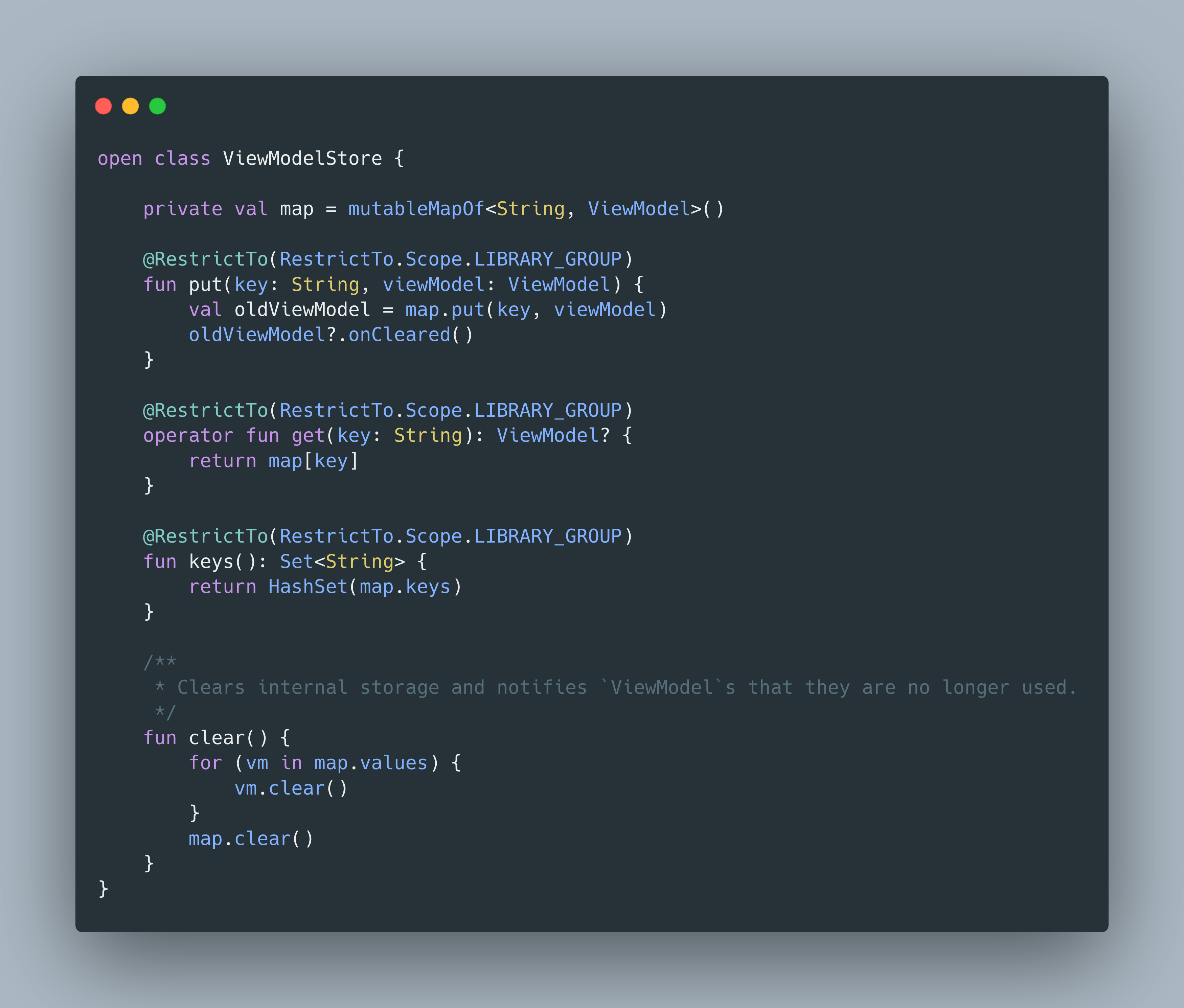
ViewModelStore is a class that stores and manages ViewModel instances. It's essential for keeping our ViewModels alive during configuration changes like screen rotations.
📌 Key Features:
Retain
ViewModels: KeepsViewModels during configuration changes.Efficient Resource Management: Automatically clears and notifies
ViewModels when they are no longer needed, preventing memory leaks.Easy Access: Retrieve
ViewModelStoreinstances usingViewModelStoreOwner.getViewModelStore.
🛠️ How Does it Work?
Storing ViewModels: Use the
putmethod to add aViewModelwith a unique key. If aViewModelwith the same key exists, it's replaced and the old one is cleared.Retrieving ViewModels: Use the
getmethod to fetch aViewModelby its key.Listing Keys: Use the
keysmethod to get a set of all keys.Clearing ViewModels: Call the
clearmethod to notify and remove allViewModels.
Implementing ViewModel in our app can significantly enhance its stability and performance. Give it a try and see the difference!
That's it for today. Happy Coding...
About the author
Senior Android Engineer from Bangladesh. Love to contribute in Open-Source. Indie Music Producer.
Comments
Join the discussionNo comments yet. Be the first to comment.


